
Expansions Connectivity
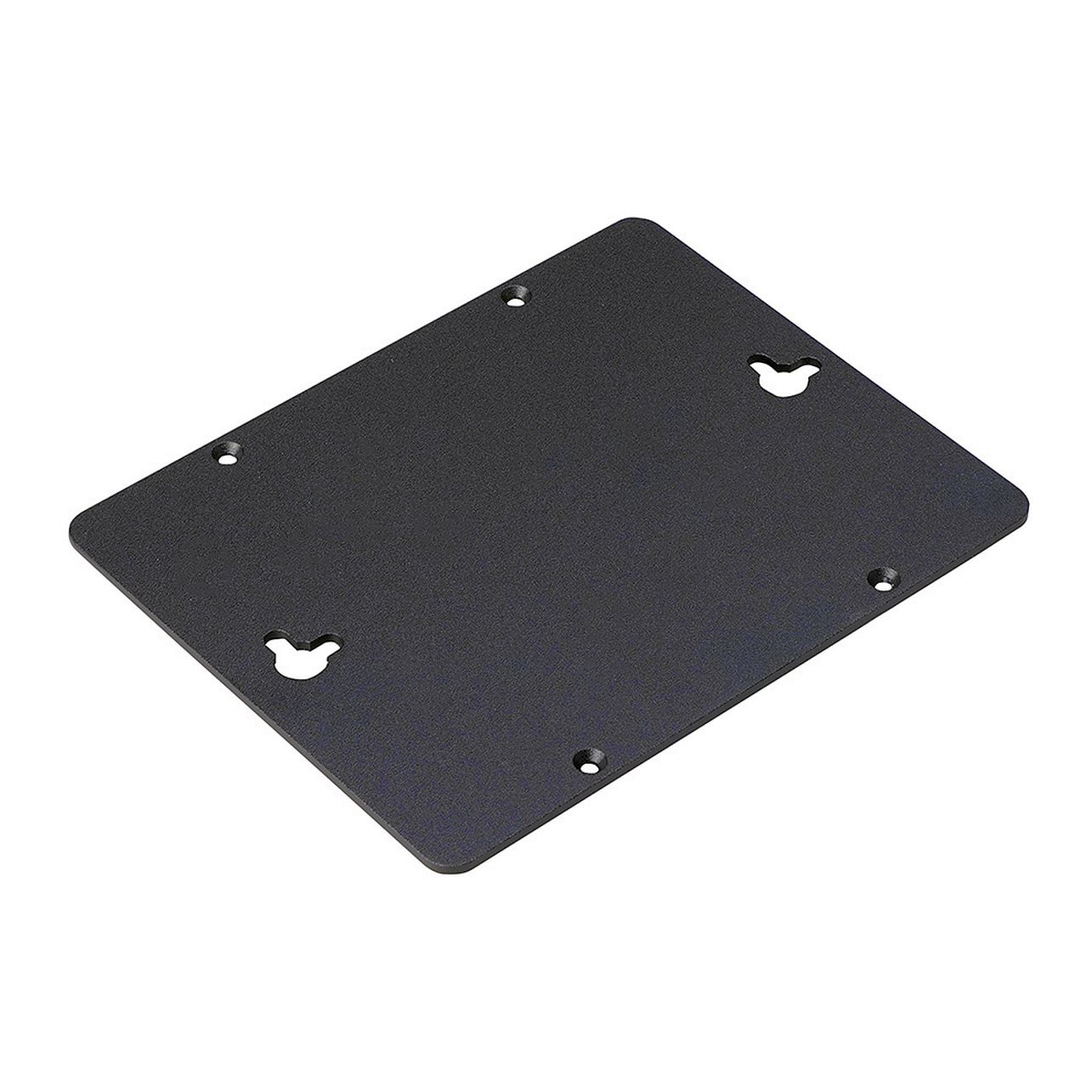
AKASA
VESA Mounting Cover for Akasa Raspberry Pi Cases
AKASA A-RA08-WKT01 - Raspberry Pi / ASUS Tinker Chassis Enables you to mount Akasa Raspberry Pi cases to the back of most displays or monitors supporting 100x100mm VESA mounting.
.product-menu-page {
font-family: 'Ubuntu', sans-serif;
color: #3f4c58;
}
.text_bold {
font-weight: bolder;
}
.product-menu-page {
display: none;
}
.product-menu-page:target {
display: block;
}
.head_sec {
background-color: #e9e9f0;
}
.col_a {
background-color: #798490;
}
.head_subsec {color: CornflowerBlue;
padding-top: 10px;padding-left: 10px;
padding-right: 25px;
vertical-align: bottom;
}
.chead {
border: 1px solid Lavender;
font-size: 90%;
font-weight: bolder;}
.ckey {
width: 25%;white-space: nowrap;text-align: left;font-size: 90%;
font-weight: bolder;
border: 1px solid Lavender;word-break: break-word;
}
.copt {
width: 25%;text-align: left;font-size: 90%;
font-weight: bolder;
border: 1px solid Lavender;word-break: break-word;
}
.cval {
width: auto;text-align: left;
border: 1px solid Lavender;
word-break: break-word;
font-size: 90%;
padding-top: 10px;
padding-left: 25px;
padding-right: 25px;
vertical-align: top;}
.rowspecsim {
font-size: 110%;
white-space: nowrap;text-align: left;
}
.column_1 {
width: 250px;white-space: nowrap;text-align: left;
}
.column_2 {
width: 250px;white-space: nowrap;text-align: left;
}
ul.menu {
list-style-type: none;
margin: 0;
padding: 0;background-color: #798490;overflow: hidden;font-family: 'Ubuntu', sans-serif;
}
li.menu-item {float: left;padding: 0px 16px;
}
ul.menu li.selected a {
display: block;
color: #2b3136;
text-align: center;
text-decoration: none;
background-color: CornflowerBlue;}
li.menu-item a {display: block;
color: white;text-align: center;
text-decoration: none;
}
li.menu-item a:hover {
color: white;
background-color: #f7c13d;}
.li.menu-item a:active {color: #2b3136;
font-weight: bolder;
background-color: CornflowerBlue;}
table {
margin-top: 10px;
width: 100%;
border-collapse: collapse;
table-layout: fixed;
}
th, td {
border: 1px solid White;text-align: left;
word-break: break-word;
font-size: 100%;
line-height: 1.5;
padding-top: 5px;
padding-left: 10px;
padding-bottom: 5px;
}
th {
font-size: 90%;
padding-left: 25px;
}
td {
word-break: break-word;
font-size: 90%;
padding-top: 10px;
padding-left: 25px;
padding-right: 25px;
vertical-align: top;
}
#prod_kf {
font-size: 100%;width: 100%;}
#prod_spec {
font-size: 100%;word-break: break-word;
font-size: 90%;
padding-top: 10px;
padding-left: 25px;
padding-right: 25px;
vertical-align: top;
}
#prod_spec_embed {
word-break: break-word;
font-size: 90%;
padding-top: 10px;width: 100%;}
#prod_disc {
font-size: 90%;
width: 100%;}
#prod_cpo {font-size: 90%;
width: 100%;
word-break: break-word;
}
#prod_var {
word-break: break-word;
font-size: 90%;
padding-top: 10px;
padding-left: 25px;
padding-right: 25px;
vertical-align: top;
}
AKASA A-RA08-WKT01 - Raspberry Pi / ASUS Tinker ChassisEnables you to mount Akasa Raspberry Pi cases to the back of most displays or monitors supporting 100x100mm VESA mounting.SpecificationApplicationVESA mounting cover for Akasa Raspberry Pi casesDesigned forA-RA13-M2B / A-RA08-M1B / A-RA08-M2BMaterialBlack sandblasted anodised aluminiumDimensions122 x 96 x 8 mmProduct codeA-RA08-WKT01All data is for information purposes only. The specification is subject to change without notice in advance. Any configuration other than original product specification is not guaranteed. Although all the information contained within this website is carefully checked, no guarantee of correctness is implied or expressed.Please always double-check the latest version of the product specification of the product manufacturer. Manufacturer Product Website: A-RA08-WKT01Product names, logos, brands, and other trademarks featured or referred are the property of their respective trademark holders. These trademark holders are not affiliated with MCTX Mobile & Embedded Computers GmbH.OEM System Integration Support
All documents found on this page are subject to change without notification. Always ensure that you work with the latest version.
Price on request
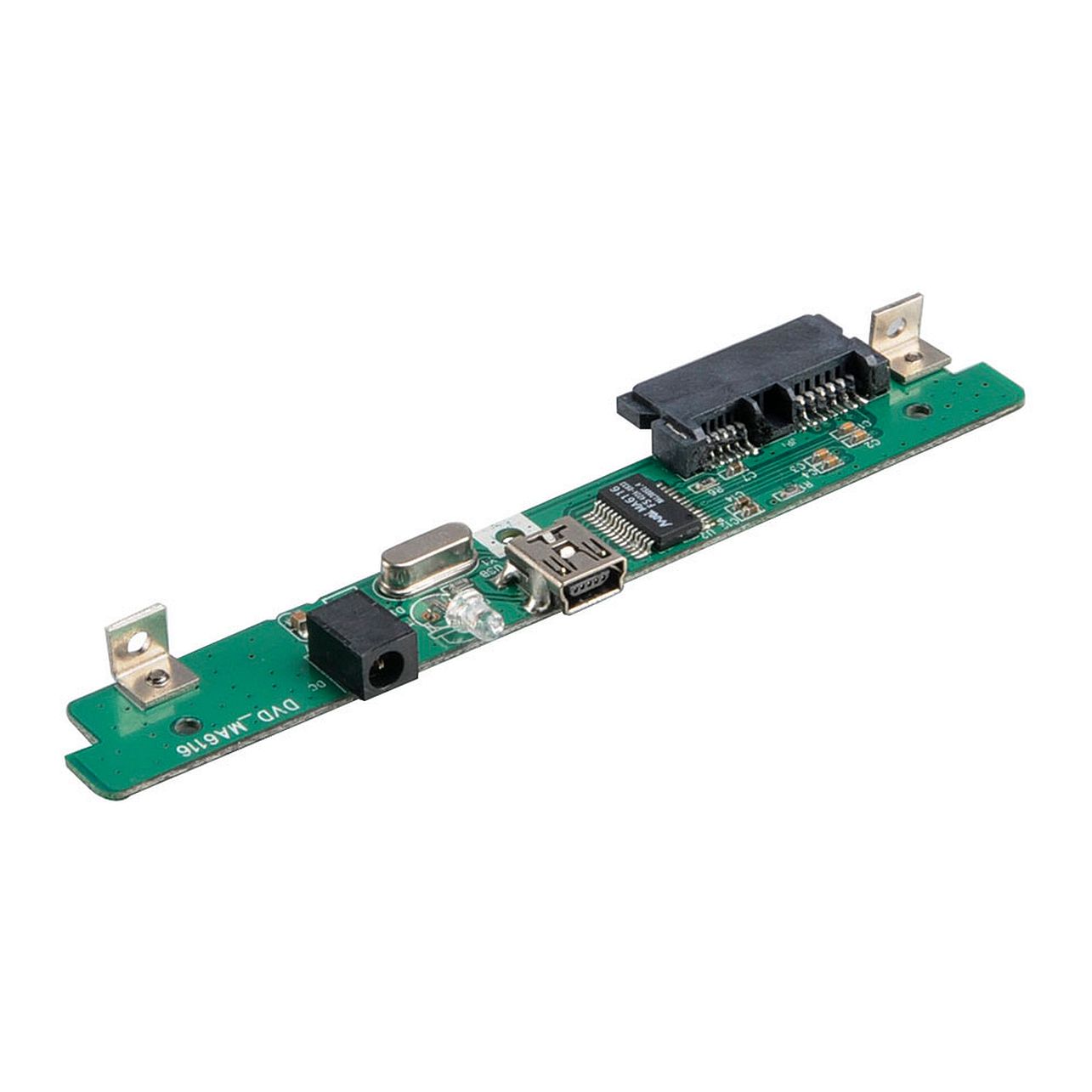
AKASA
USB 2.0 to Slim SATA ODD adapter
AKASA AK-PCCMSA-04 - Expansions & Connectivity Chassis USB 2.0 to Slim SATA ODD adapter is designed for A-NUC18-A1B and A-NUC18-M1B. Connect Slim SATA ODD to NUC onboard USB 2.0 header. Compatible with Intel NUC5i5MYBE / NUC5i5MYHE / NUC5i3MYBE / NUC5i3MYHE NUC5i5RYH / NUC5i5RYK / NUC5i3RYH / NUC5i3RYK.
.product-menu-page {
font-family: 'Ubuntu', sans-serif;
color: #3f4c58;
}
.text_bold {
font-weight: bolder;
}
.product-menu-page {
display: none;
}
.product-menu-page:target {
display: block;
}
.head_sec {
background-color: #e9e9f0;
}
.col_a {
background-color: #798490;
}
.head_subsec {color: CornflowerBlue;
padding-top: 10px;padding-left: 10px;
padding-right: 25px;
vertical-align: bottom;
}
.chead {
border: 1px solid Lavender;
font-size: 90%;
font-weight: bolder;}
.ckey {
width: 25%;white-space: nowrap;text-align: left;font-size: 90%;
font-weight: bolder;
border: 1px solid Lavender;word-break: break-word;
}
.copt {
width: 25%;text-align: left;font-size: 90%;
font-weight: bolder;
border: 1px solid Lavender;word-break: break-word;
}
.cval {
width: auto;text-align: left;
border: 1px solid Lavender;
word-break: break-word;
font-size: 90%;
padding-top: 10px;
padding-left: 25px;
padding-right: 25px;
vertical-align: top;}
.rowspecsim {
font-size: 110%;
white-space: nowrap;text-align: left;
}
.column_1 {
width: 250px;white-space: nowrap;text-align: left;
}
.column_2 {
width: 250px;white-space: nowrap;text-align: left;
}
ul.menu {
list-style-type: none;
margin: 0;
padding: 0;background-color: #798490;overflow: hidden;font-family: 'Ubuntu', sans-serif;
}
li.menu-item {float: left;padding: 0px 16px;
}
ul.menu li.selected a {
display: block;
color: #2b3136;
text-align: center;
text-decoration: none;
background-color: CornflowerBlue;}
li.menu-item a {display: block;
color: white;text-align: center;
text-decoration: none;
}
li.menu-item a:hover {
color: white;
background-color: #f7c13d;}
.li.menu-item a:active {color: #2b3136;
font-weight: bolder;
background-color: CornflowerBlue;}
table {
margin-top: 10px;
width: 100%;
border-collapse: collapse;
table-layout: fixed;
}
th, td {
border: 1px solid White;text-align: left;
word-break: break-word;
font-size: 100%;
line-height: 1.5;
padding-top: 5px;
padding-left: 10px;
padding-bottom: 5px;
}
th {
font-size: 90%;
padding-left: 25px;
}
td {
word-break: break-word;
font-size: 90%;
padding-top: 10px;
padding-left: 25px;
padding-right: 25px;
vertical-align: top;
}
#prod_kf {
font-size: 100%;width: 100%;}
#prod_spec {
font-size: 100%;word-break: break-word;
font-size: 90%;
padding-top: 10px;
padding-left: 25px;
padding-right: 25px;
vertical-align: top;
}
#prod_spec_embed {
word-break: break-word;
font-size: 90%;
padding-top: 10px;width: 100%;}
#prod_disc {
font-size: 90%;
width: 100%;}
#prod_cpo {font-size: 90%;
width: 100%;
word-break: break-word;
}
#prod_var {
word-break: break-word;
font-size: 90%;
padding-top: 10px;
padding-left: 25px;
padding-right: 25px;
vertical-align: top;
}
AKASA AK-PCCMSA-04 - Expansions & Connectivity ChassisUSB 2.0 to Slim SATA ODD adapter is designed for A-NUC18-A1B and A-NUC18-M1B. Connect Slim SATA ODD to NUC onboard USB 2.0 header. Compatible with Intel NUC5i5MYBE / NUC5i5MYHE / NUC5i3MYBE / NUC5i3MYHE NUC5i5RYH / NUC5i5RYK / NUC5i3RYH / NUC5i3RYK.SpecificationApplicationconnect Slim SATA ODD to NUC onboard USB 2.0 headerDesigned forA-NUC18-A1B and A-NUC18-M1BDimension107.7 x 24 x 8 mmCable length15cmMotherboard connectorNUC onboard USB 2.0 header (1.25 mm pitch)Device connectorslimline SATAProduct codeAK-PCCMSA-04All data is for information purposes only. The specification is subject to change without notice in advance. Any configuration other than original product specification is not guaranteed. Although all the information contained within this website is carefully checked, no guarantee of correctness is implied or expressed.Please always double-check the latest version of the product specification of the product manufacturer. Manufacturer Product Website: AK-PCCMSA-04Product names, logos, brands, and other trademarks featured or referred are the property of their respective trademark holders. These trademark holders are not affiliated with MCTX Mobile & Embedded Computers GmbH.OEM System Integration Support
All documents found on this page are subject to change without notification. Always ensure that you work with the latest version.
Price on request
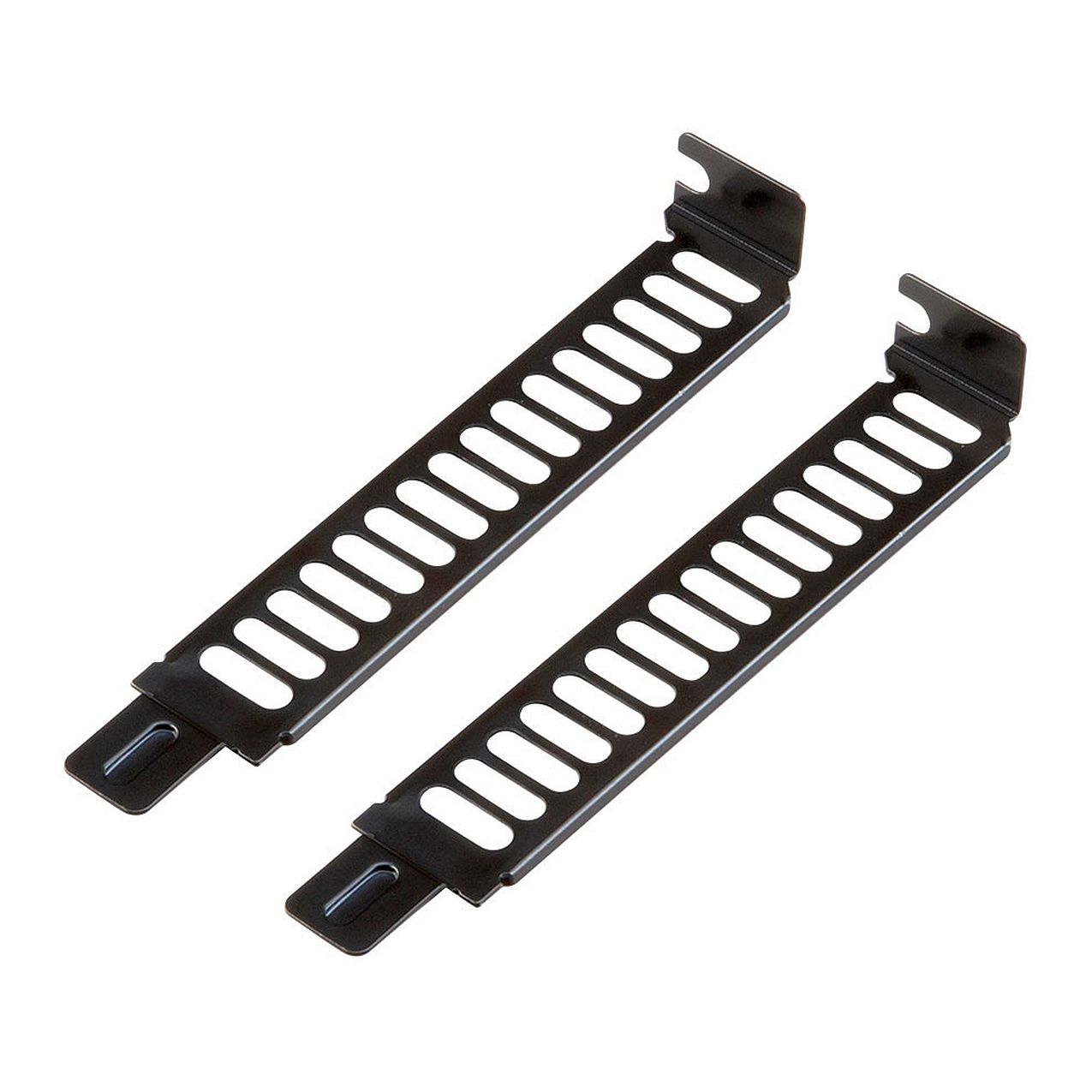
AKASA
Steel Vented PCI Slot Cover Bracket
AKASA AK-MX302 - Expansions & Connectivity Chassis Full profile durable steel PCI expansion slot cover bracket with contemporary-design vent holes to increase cooling performance and maximise airflow. Includes 2 tool-free screws for easy installation.Available in: 2 and 5 pack
.product-menu-page {
font-family: 'Ubuntu', sans-serif;
color: #3f4c58;
}
.text_bold {
font-weight: bolder;
}
.product-menu-page {
display: none;
}
.product-menu-page:target {
display: block;
}
.head_sec {
background-color: #e9e9f0;
}
.col_a {
background-color: #798490;
}
.head_subsec {color: CornflowerBlue;
padding-top: 10px;padding-left: 10px;
padding-right: 25px;
vertical-align: bottom;
}
.chead {
border: 1px solid Lavender;
font-size: 90%;
font-weight: bolder;}
.ckey {
width: 25%;white-space: nowrap;text-align: left;font-size: 90%;
font-weight: bolder;
border: 1px solid Lavender;word-break: break-word;
}
.copt {
width: 25%;text-align: left;font-size: 90%;
font-weight: bolder;
border: 1px solid Lavender;word-break: break-word;
}
.cval {
width: auto;text-align: left;
border: 1px solid Lavender;
word-break: break-word;
font-size: 90%;
padding-top: 10px;
padding-left: 25px;
padding-right: 25px;
vertical-align: top;}
.rowspecsim {
font-size: 110%;
white-space: nowrap;text-align: left;
}
.column_1 {
width: 250px;white-space: nowrap;text-align: left;
}
.column_2 {
width: 250px;white-space: nowrap;text-align: left;
}
ul.menu {
list-style-type: none;
margin: 0;
padding: 0;background-color: #798490;overflow: hidden;font-family: 'Ubuntu', sans-serif;
}
li.menu-item {float: left;padding: 0px 16px;
}
ul.menu li.selected a {
display: block;
color: #2b3136;
text-align: center;
text-decoration: none;
background-color: CornflowerBlue;}
li.menu-item a {display: block;
color: white;text-align: center;
text-decoration: none;
}
li.menu-item a:hover {
color: white;
background-color: #f7c13d;}
.li.menu-item a:active {color: #2b3136;
font-weight: bolder;
background-color: CornflowerBlue;}
table {
margin-top: 10px;
width: 100%;
border-collapse: collapse;
table-layout: fixed;
}
th, td {
border: 1px solid White;text-align: left;
word-break: break-word;
font-size: 100%;
line-height: 1.5;
padding-top: 5px;
padding-left: 10px;
padding-bottom: 5px;
}
th {
font-size: 90%;
padding-left: 25px;
}
td {
word-break: break-word;
font-size: 90%;
padding-top: 10px;
padding-left: 25px;
padding-right: 25px;
vertical-align: top;
}
#prod_kf {
font-size: 100%;width: 100%;}
#prod_spec {
font-size: 100%;word-break: break-word;
font-size: 90%;
padding-top: 10px;
padding-left: 25px;
padding-right: 25px;
vertical-align: top;
}
#prod_spec_embed {
word-break: break-word;
font-size: 90%;
padding-top: 10px;width: 100%;}
#prod_disc {
font-size: 90%;
width: 100%;}
#prod_cpo {font-size: 90%;
width: 100%;
word-break: break-word;
}
#prod_var {
word-break: break-word;
font-size: 90%;
padding-top: 10px;
padding-left: 25px;
padding-right: 25px;
vertical-align: top;
}
AKASA AK-MX302 - Expansions & Connectivity ChassisFull profile durable steel PCI expansion slot cover bracket with contemporary-design vent holes to increase cooling performance and maximise airflow. Includes 2 tool-free screws for easy installation.Available in: 2 and 5 packSpecificationApplicationCover exposed PCI slotsDimensions113.9 x 18.6 x 11.90 mmColourBlackMaterialSteelContentsPCI bracket x 2 + screws x 2 (AK-MX302)PCI bracket x 5 + screws x 5 (AK-MX302-KT05)Screw#6-32Screw ColourSilverProduct CodeAK-MX302 (2 Pack) AK-MX302-KT05 (5 Pack)All data is for information purposes only. The specification is subject to change without notice in advance. Any configuration other than original product specification is not guaranteed. Although all the information contained within this website is carefully checked, no guarantee of correctness is implied or expressed.Please always double-check the latest version of the product specification of the product manufacturer. Manufacturer Product Website: AK-MX302Product names, logos, brands, and other trademarks featured or referred are the property of their respective trademark holders. These trademark holders are not affiliated with MCTX Mobile & Embedded Computers GmbH.OEM System Integration Support
All documents found on this page are subject to change without notification. Always ensure that you work with the latest version.
Price on request
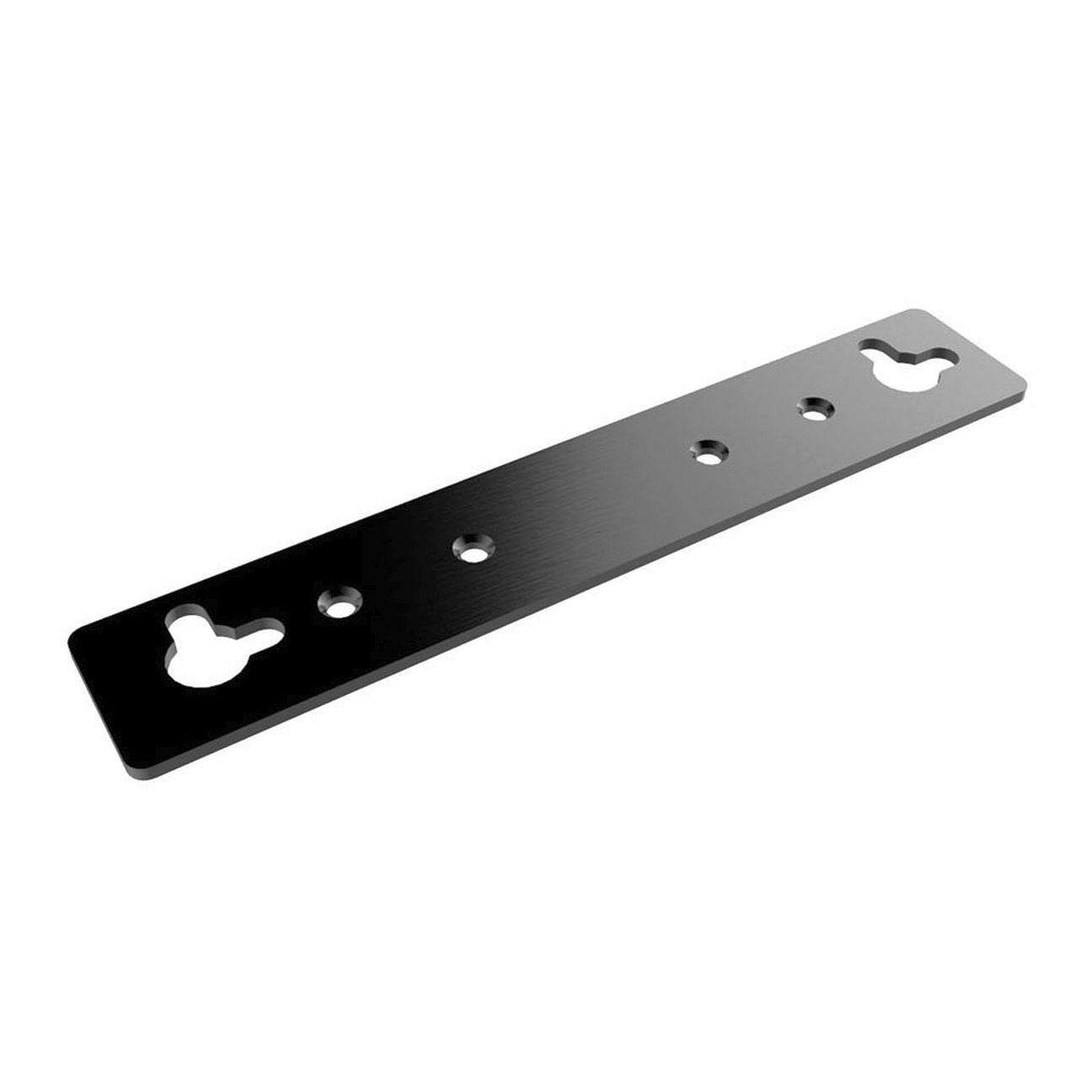
AKASA
Raspberry Pi Wall Mounting Kit
AKASA A-RA03-WKT - Raspberry Pi / ASUS Tinker Chassis Mounting brackets allow Akasa Raspberry Pi cases to be mounted on the wall. Compatible with A-RA13-M2B / A-RA08-M1B / A-RA05-M1B / A-RA03-A1B / A-RA03-M1B / A-RA02-A1B / A-RA02-M1B.
.product-menu-page {
font-family: 'Ubuntu', sans-serif;
color: #3f4c58;
}
.text_bold {
font-weight: bolder;
}
.product-menu-page {
display: none;
}
.product-menu-page:target {
display: block;
}
.head_sec {
background-color: #e9e9f0;
}
.col_a {
background-color: #798490;
}
.head_subsec {color: CornflowerBlue;
padding-top: 10px;padding-left: 10px;
padding-right: 25px;
vertical-align: bottom;
}
.chead {
border: 1px solid Lavender;
font-size: 90%;
font-weight: bolder;}
.ckey {
width: 25%;white-space: nowrap;text-align: left;font-size: 90%;
font-weight: bolder;
border: 1px solid Lavender;word-break: break-word;
}
.copt {
width: 25%;text-align: left;font-size: 90%;
font-weight: bolder;
border: 1px solid Lavender;word-break: break-word;
}
.cval {
width: auto;text-align: left;
border: 1px solid Lavender;
word-break: break-word;
font-size: 90%;
padding-top: 10px;
padding-left: 25px;
padding-right: 25px;
vertical-align: top;}
.rowspecsim {
font-size: 110%;
white-space: nowrap;text-align: left;
}
.column_1 {
width: 250px;white-space: nowrap;text-align: left;
}
.column_2 {
width: 250px;white-space: nowrap;text-align: left;
}
ul.menu {
list-style-type: none;
margin: 0;
padding: 0;background-color: #798490;overflow: hidden;font-family: 'Ubuntu', sans-serif;
}
li.menu-item {float: left;padding: 0px 16px;
}
ul.menu li.selected a {
display: block;
color: #2b3136;
text-align: center;
text-decoration: none;
background-color: CornflowerBlue;}
li.menu-item a {display: block;
color: white;text-align: center;
text-decoration: none;
}
li.menu-item a:hover {
color: white;
background-color: #f7c13d;}
.li.menu-item a:active {color: #2b3136;
font-weight: bolder;
background-color: CornflowerBlue;}
table {
margin-top: 10px;
width: 100%;
border-collapse: collapse;
table-layout: fixed;
}
th, td {
border: 1px solid White;text-align: left;
word-break: break-word;
font-size: 100%;
line-height: 1.5;
padding-top: 5px;
padding-left: 10px;
padding-bottom: 5px;
}
th {
font-size: 90%;
padding-left: 25px;
}
td {
word-break: break-word;
font-size: 90%;
padding-top: 10px;
padding-left: 25px;
padding-right: 25px;
vertical-align: top;
}
#prod_kf {
font-size: 100%;width: 100%;}
#prod_spec {
font-size: 100%;word-break: break-word;
font-size: 90%;
padding-top: 10px;
padding-left: 25px;
padding-right: 25px;
vertical-align: top;
}
#prod_spec_embed {
word-break: break-word;
font-size: 90%;
padding-top: 10px;width: 100%;}
#prod_disc {
font-size: 90%;
width: 100%;}
#prod_cpo {font-size: 90%;
width: 100%;
word-break: break-word;
}
#prod_var {
word-break: break-word;
font-size: 90%;
padding-top: 10px;
padding-left: 25px;
padding-right: 25px;
vertical-align: top;
}
AKASA A-RA03-WKT - Raspberry Pi / ASUS Tinker ChassisMounting brackets allow Akasa Raspberry Pi cases to be mounted on the wall. Compatible with A-RA13-M2B / A-RA08-M1B / A-RA05-M1B / A-RA03-A1B / A-RA03-M1B / A-RA02-A1B / A-RA02-M1B.SpecificationApplicationWall mounting brackets for Akasa Raspberry Pi casesDesigned forAkasa Raspberry Pi casesMaterialAluminiumDimensions110 x 20 x 1.6mmBrackets2Product codeA-RA03-WKTAll data is for information purposes only. The specification is subject to change without notice in advance. Any configuration other than original product specification is not guaranteed. Although all the information contained within this website is carefully checked, no guarantee of correctness is implied or expressed.Please always double-check the latest version of the product specification of the product manufacturer. Manufacturer Product Website: A-RA03-WKTProduct names, logos, brands, and other trademarks featured or referred are the property of their respective trademark holders. These trademark holders are not affiliated with MCTX Mobile & Embedded Computers GmbH.OEM System Integration Support
All documents found on this page are subject to change without notification. Always ensure that you work with the latest version.
Price on request
AKASA
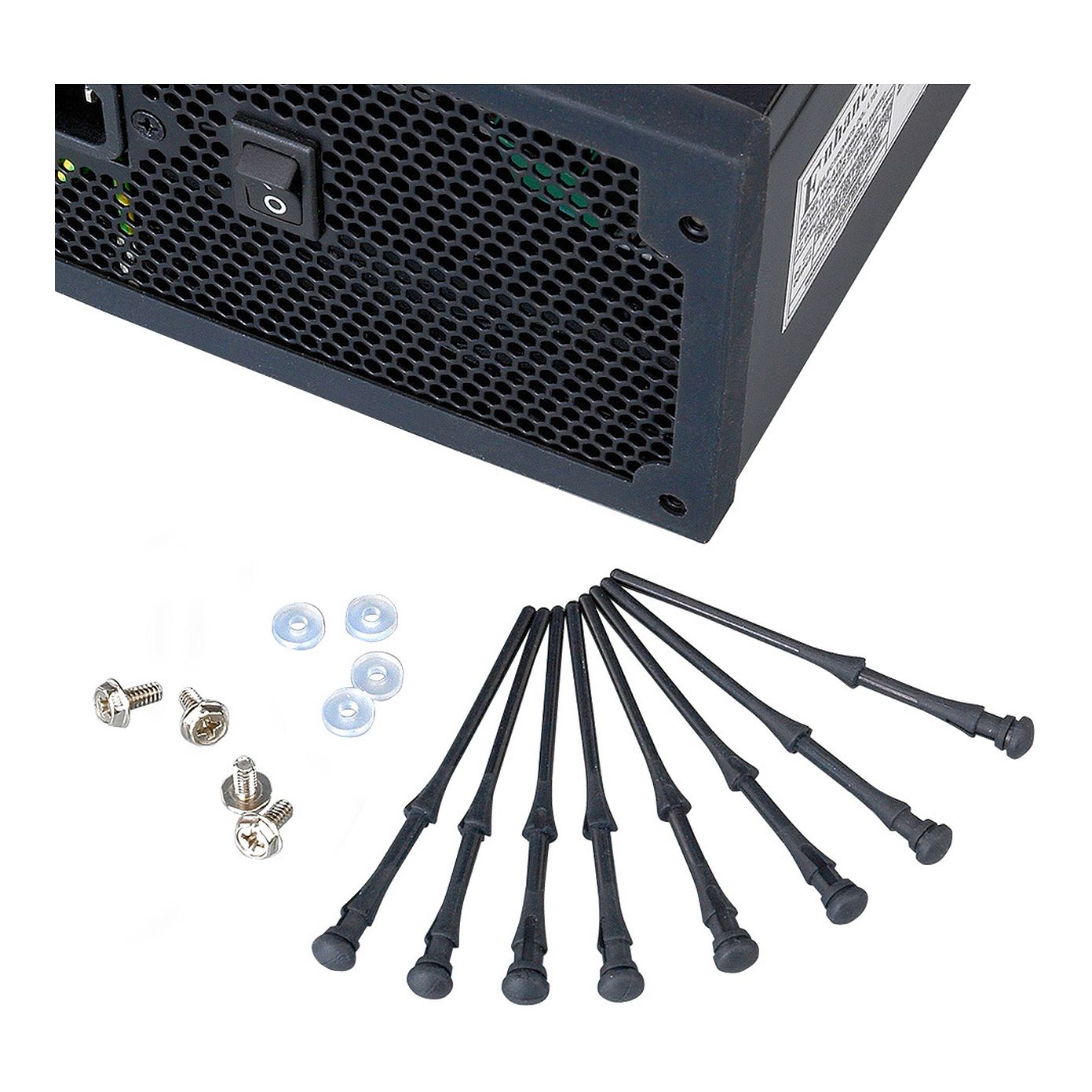
PC Noise Reduction Kit
AKASA AK-MX002 - Expansions & Connectivity Chassis Anti-vibration PSU gasket and rubber fan mounting pins. Enables the PSU and case fans to be isolated from the PC chassis to stop vibration and prevent structure born noise.
.product-menu-page {
font-family: 'Ubuntu', sans-serif;
color: #3f4c58;
}
.text_bold {
font-weight: bolder;
}
.product-menu-page {
display: none;
}
.product-menu-page:target {
display: block;
}
.head_sec {
background-color: #e9e9f0;
}
.col_a {
background-color: #798490;
}
.head_subsec {color: CornflowerBlue;
padding-top: 10px;padding-left: 10px;
padding-right: 25px;
vertical-align: bottom;
}
.chead {
border: 1px solid Lavender;
font-size: 90%;
font-weight: bolder;}
.ckey {
width: 25%;white-space: nowrap;text-align: left;font-size: 90%;
font-weight: bolder;
border: 1px solid Lavender;word-break: break-word;
}
.copt {
width: 25%;text-align: left;font-size: 90%;
font-weight: bolder;
border: 1px solid Lavender;word-break: break-word;
}
.cval {
width: auto;text-align: left;
border: 1px solid Lavender;
word-break: break-word;
font-size: 90%;
padding-top: 10px;
padding-left: 25px;
padding-right: 25px;
vertical-align: top;}
.rowspecsim {
font-size: 110%;
white-space: nowrap;text-align: left;
}
.column_1 {
width: 250px;white-space: nowrap;text-align: left;
}
.column_2 {
width: 250px;white-space: nowrap;text-align: left;
}
ul.menu {
list-style-type: none;
margin: 0;
padding: 0;background-color: #798490;overflow: hidden;font-family: 'Ubuntu', sans-serif;
}
li.menu-item {float: left;padding: 0px 16px;
}
ul.menu li.selected a {
display: block;
color: #2b3136;
text-align: center;
text-decoration: none;
background-color: CornflowerBlue;}
li.menu-item a {display: block;
color: white;text-align: center;
text-decoration: none;
}
li.menu-item a:hover {
color: white;
background-color: #f7c13d;}
.li.menu-item a:active {color: #2b3136;
font-weight: bolder;
background-color: CornflowerBlue;}
table {
margin-top: 10px;
width: 100%;
border-collapse: collapse;
table-layout: fixed;
}
th, td {
border: 1px solid White;text-align: left;
word-break: break-word;
font-size: 100%;
line-height: 1.5;
padding-top: 5px;
padding-left: 10px;
padding-bottom: 5px;
}
th {
font-size: 90%;
padding-left: 25px;
}
td {
word-break: break-word;
font-size: 90%;
padding-top: 10px;
padding-left: 25px;
padding-right: 25px;
vertical-align: top;
}
#prod_kf {
font-size: 100%;width: 100%;}
#prod_spec {
font-size: 100%;word-break: break-word;
font-size: 90%;
padding-top: 10px;
padding-left: 25px;
padding-right: 25px;
vertical-align: top;
}
#prod_spec_embed {
word-break: break-word;
font-size: 90%;
padding-top: 10px;width: 100%;}
#prod_disc {
font-size: 90%;
width: 100%;}
#prod_cpo {font-size: 90%;
width: 100%;
word-break: break-word;
}
#prod_var {
word-break: break-word;
font-size: 90%;
padding-top: 10px;
padding-left: 25px;
padding-right: 25px;
vertical-align: top;
}
AKASA AK-MX002 - Expansions & Connectivity ChassisAnti-vibration PSU gasket and rubber fan mounting pins. Enables the PSU and case fans to be isolated from the PC chassis to stop vibration and prevent structure born noise.SpecificationFan mounting pins8 pieces (for two fans)PSU gasket1PSU mounting screws4 with soft washers pre-appliedProduct codeAK-MX002All data is for information purposes only. The specification is subject to change without notice in advance. Any configuration other than original product specification is not guaranteed. Although all the information contained within this website is carefully checked, no guarantee of correctness is implied or expressed.Please always double-check the latest version of the product specification of the product manufacturer. Manufacturer Product Website: AK-MX002Product names, logos, brands, and other trademarks featured or referred are the property of their respective trademark holders. These trademark holders are not affiliated with MCTX Mobile & Embedded Computers GmbH.OEM System Integration Support
All documents found on this page are subject to change without notification. Always ensure that you work with the latest version.
Price on request
AKASA
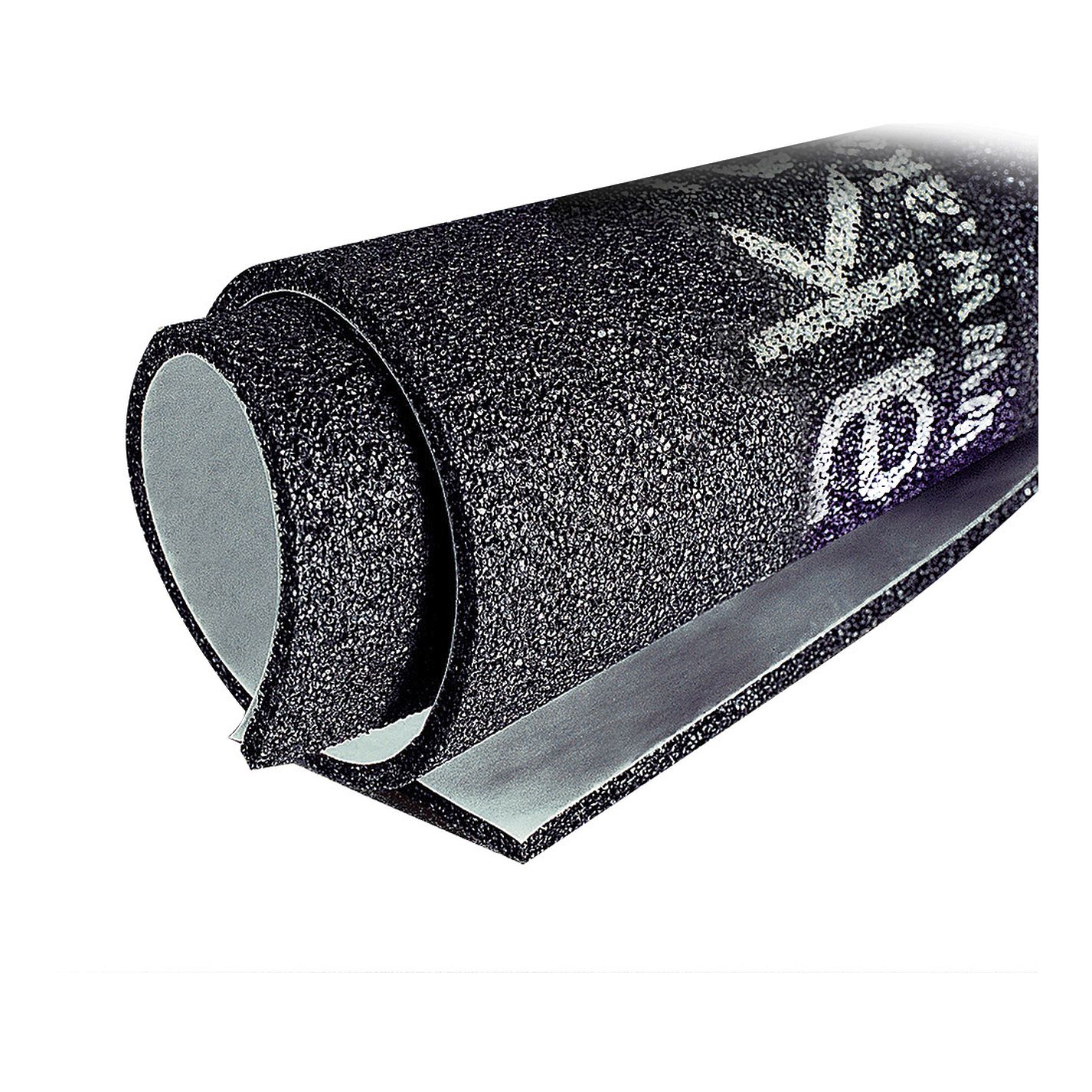
PaxMate Plus
AKASA AK-PAX-2 - Expansions & Connectivity Chassis Noise reduction matting for full tower PC case, engineered to reduce high frequency fan noise. Easy to install, self adhesive.
.product-menu-page {
font-family: 'Ubuntu', sans-serif;
color: #3f4c58;
}
.text_bold {
font-weight: bolder;
}
.product-menu-page {
display: none;
}
.product-menu-page:target {
display: block;
}
.head_sec {
background-color: #e9e9f0;
}
.col_a {
background-color: #798490;
}
.head_subsec {color: CornflowerBlue;
padding-top: 10px;padding-left: 10px;
padding-right: 25px;
vertical-align: bottom;
}
.chead {
border: 1px solid Lavender;
font-size: 90%;
font-weight: bolder;}
.ckey {
width: 25%;white-space: nowrap;text-align: left;font-size: 90%;
font-weight: bolder;
border: 1px solid Lavender;word-break: break-word;
}
.copt {
width: 25%;text-align: left;font-size: 90%;
font-weight: bolder;
border: 1px solid Lavender;word-break: break-word;
}
.cval {
width: auto;text-align: left;
border: 1px solid Lavender;
word-break: break-word;
font-size: 90%;
padding-top: 10px;
padding-left: 25px;
padding-right: 25px;
vertical-align: top;}
.rowspecsim {
font-size: 110%;
white-space: nowrap;text-align: left;
}
.column_1 {
width: 250px;white-space: nowrap;text-align: left;
}
.column_2 {
width: 250px;white-space: nowrap;text-align: left;
}
ul.menu {
list-style-type: none;
margin: 0;
padding: 0;background-color: #798490;overflow: hidden;font-family: 'Ubuntu', sans-serif;
}
li.menu-item {float: left;padding: 0px 16px;
}
ul.menu li.selected a {
display: block;
color: #2b3136;
text-align: center;
text-decoration: none;
background-color: CornflowerBlue;}
li.menu-item a {display: block;
color: white;text-align: center;
text-decoration: none;
}
li.menu-item a:hover {
color: white;
background-color: #f7c13d;}
.li.menu-item a:active {color: #2b3136;
font-weight: bolder;
background-color: CornflowerBlue;}
table {
margin-top: 10px;
width: 100%;
border-collapse: collapse;
table-layout: fixed;
}
th, td {
border: 1px solid White;text-align: left;
word-break: break-word;
font-size: 100%;
line-height: 1.5;
padding-top: 5px;
padding-left: 10px;
padding-bottom: 5px;
}
th {
font-size: 90%;
padding-left: 25px;
}
td {
word-break: break-word;
font-size: 90%;
padding-top: 10px;
padding-left: 25px;
padding-right: 25px;
vertical-align: top;
}
#prod_kf {
font-size: 100%;width: 100%;}
#prod_spec {
font-size: 100%;word-break: break-word;
font-size: 90%;
padding-top: 10px;
padding-left: 25px;
padding-right: 25px;
vertical-align: top;
}
#prod_spec_embed {
word-break: break-word;
font-size: 90%;
padding-top: 10px;width: 100%;}
#prod_disc {
font-size: 90%;
width: 100%;}
#prod_cpo {font-size: 90%;
width: 100%;
word-break: break-word;
}
#prod_var {
word-break: break-word;
font-size: 90%;
padding-top: 10px;
padding-left: 25px;
padding-right: 25px;
vertical-align: top;
}
AKASA AK-PAX-2 - Expansions & Connectivity ChassisNoise reduction matting for full tower PC case, engineered to reduce high frequency fan noise. Easy to install, self adhesive.SpecificationApplicationNoise reduction mattingDesigned forPC case interiorDimensionsTwo 500 x 450 x 4mm mats Two 500 x 200 x 4mm matsInstallationDouble sided tape pre-appliedProduct codeAK-PAX-2All data is for information purposes only. The specification is subject to change without notice in advance. Any configuration other than original product specification is not guaranteed. Although all the information contained within this website is carefully checked, no guarantee of correctness is implied or expressed.Please always double-check the latest version of the product specification of the product manufacturer. Manufacturer Product Website: AK-PAX-2Product names, logos, brands, and other trademarks featured or referred are the property of their respective trademark holders. These trademark holders are not affiliated with MCTX Mobile & Embedded Computers GmbH.OEM System Integration Support
All documents found on this page are subject to change without notification. Always ensure that you work with the latest version.
Price on request
AKASA
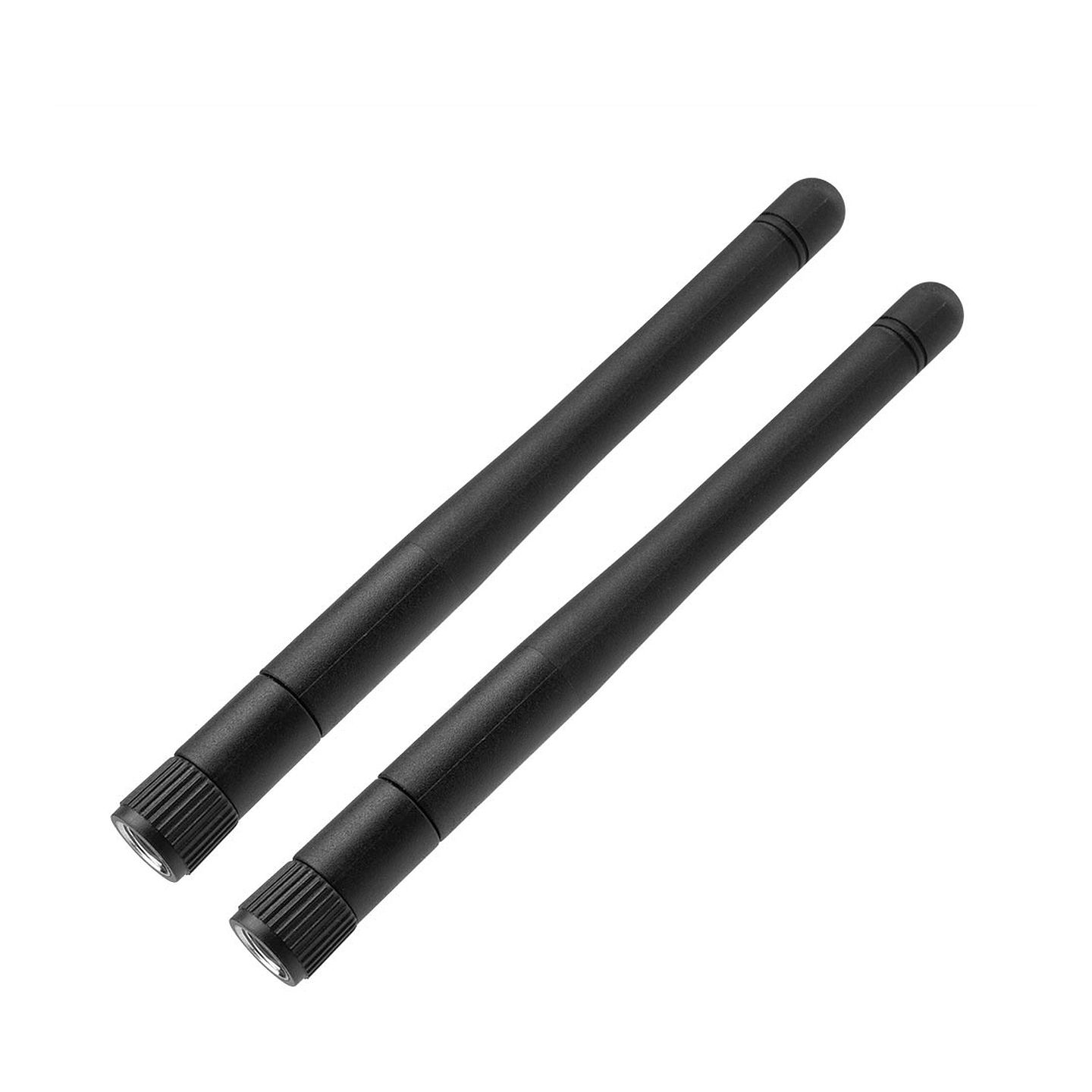
Omni-Directional Tri-Band Wi-Fi Antenna
AKASA A-ATN01-BK - Raspberry Pi / ASUS Tinker Chassis Utilise and extend the Wi-Fi and Bluetooth functionality of your NUC or SFF motherboard whilst installed inside an Akasa fanless case. Omni-directional antennas can send and receive Wi-Fi in all directions without aiming.
.product-menu-page {
font-family: 'Ubuntu', sans-serif;
color: #3f4c58;
}
.text_bold {
font-weight: bolder;
}
.product-menu-page {
display: none;
}
.product-menu-page:target {
display: block;
}
.head_sec {
background-color: #e9e9f0;
}
.col_a {
background-color: #798490;
}
.head_subsec {color: CornflowerBlue;
padding-top: 10px;padding-left: 10px;
padding-right: 25px;
vertical-align: bottom;
}
.chead {
border: 1px solid Lavender;
font-size: 90%;
font-weight: bolder;}
.ckey {
width: 25%;white-space: nowrap;text-align: left;font-size: 90%;
font-weight: bolder;
border: 1px solid Lavender;word-break: break-word;
}
.copt {
width: 25%;text-align: left;font-size: 90%;
font-weight: bolder;
border: 1px solid Lavender;word-break: break-word;
}
.cval {
width: auto;text-align: left;
border: 1px solid Lavender;
word-break: break-word;
font-size: 90%;
padding-top: 10px;
padding-left: 25px;
padding-right: 25px;
vertical-align: top;}
.rowspecsim {
font-size: 110%;
white-space: nowrap;text-align: left;
}
.column_1 {
width: 250px;white-space: nowrap;text-align: left;
}
.column_2 {
width: 250px;white-space: nowrap;text-align: left;
}
ul.menu {
list-style-type: none;
margin: 0;
padding: 0;background-color: #798490;overflow: hidden;font-family: 'Ubuntu', sans-serif;
}
li.menu-item {float: left;padding: 0px 16px;
}
ul.menu li.selected a {
display: block;
color: #2b3136;
text-align: center;
text-decoration: none;
background-color: CornflowerBlue;}
li.menu-item a {display: block;
color: white;text-align: center;
text-decoration: none;
}
li.menu-item a:hover {
color: white;
background-color: #f7c13d;}
.li.menu-item a:active {color: #2b3136;
font-weight: bolder;
background-color: CornflowerBlue;}
table {
margin-top: 10px;
width: 100%;
border-collapse: collapse;
table-layout: fixed;
}
th, td {
border: 1px solid White;text-align: left;
word-break: break-word;
font-size: 100%;
line-height: 1.5;
padding-top: 5px;
padding-left: 10px;
padding-bottom: 5px;
}
th {
font-size: 90%;
padding-left: 25px;
}
td {
word-break: break-word;
font-size: 90%;
padding-top: 10px;
padding-left: 25px;
padding-right: 25px;
vertical-align: top;
}
#prod_kf {
font-size: 100%;width: 100%;}
#prod_spec {
font-size: 100%;word-break: break-word;
font-size: 90%;
padding-top: 10px;
padding-left: 25px;
padding-right: 25px;
vertical-align: top;
}
#prod_spec_embed {
word-break: break-word;
font-size: 90%;
padding-top: 10px;width: 100%;}
#prod_disc {
font-size: 90%;
width: 100%;}
#prod_cpo {font-size: 90%;
width: 100%;
word-break: break-word;
}
#prod_var {
word-break: break-word;
font-size: 90%;
padding-top: 10px;
padding-left: 25px;
padding-right: 25px;
vertical-align: top;
}
AKASA A-ATN01-BK - Raspberry Pi / ASUS Tinker ChassisUtilise and extend the Wi-Fi and Bluetooth functionality of your NUC or SFF motherboard whilst installed inside an Akasa fanless case. Omni-directional antennas can send and receive Wi-Fi in all directions without aiming.SpecificationFrequency range2.4/5.2/5.8 GHzImpedance50 ΩGain2 dBiVSWR≤ 2PolarisationVerticalDimensions108 mmWeight9 gOperating temperature-20˚C - +65˚CLength87 mmProduct codeA-ATN01-BKAll data is for information purposes only. The specification is subject to change without notice in advance. Any configuration other than original product specification is not guaranteed. Although all the information contained within this website is carefully checked, no guarantee of correctness is implied or expressed.Please always double-check the latest version of the product specification of the product manufacturer. Manufacturer Product Website: A-ATN01-BKProduct names, logos, brands, and other trademarks featured or referred are the property of their respective trademark holders. These trademark holders are not affiliated with MCTX Mobile & Embedded Computers GmbH.OEM System Integration Support
All documents found on this page are subject to change without notification. Always ensure that you work with the latest version.
Price on request
AKASA
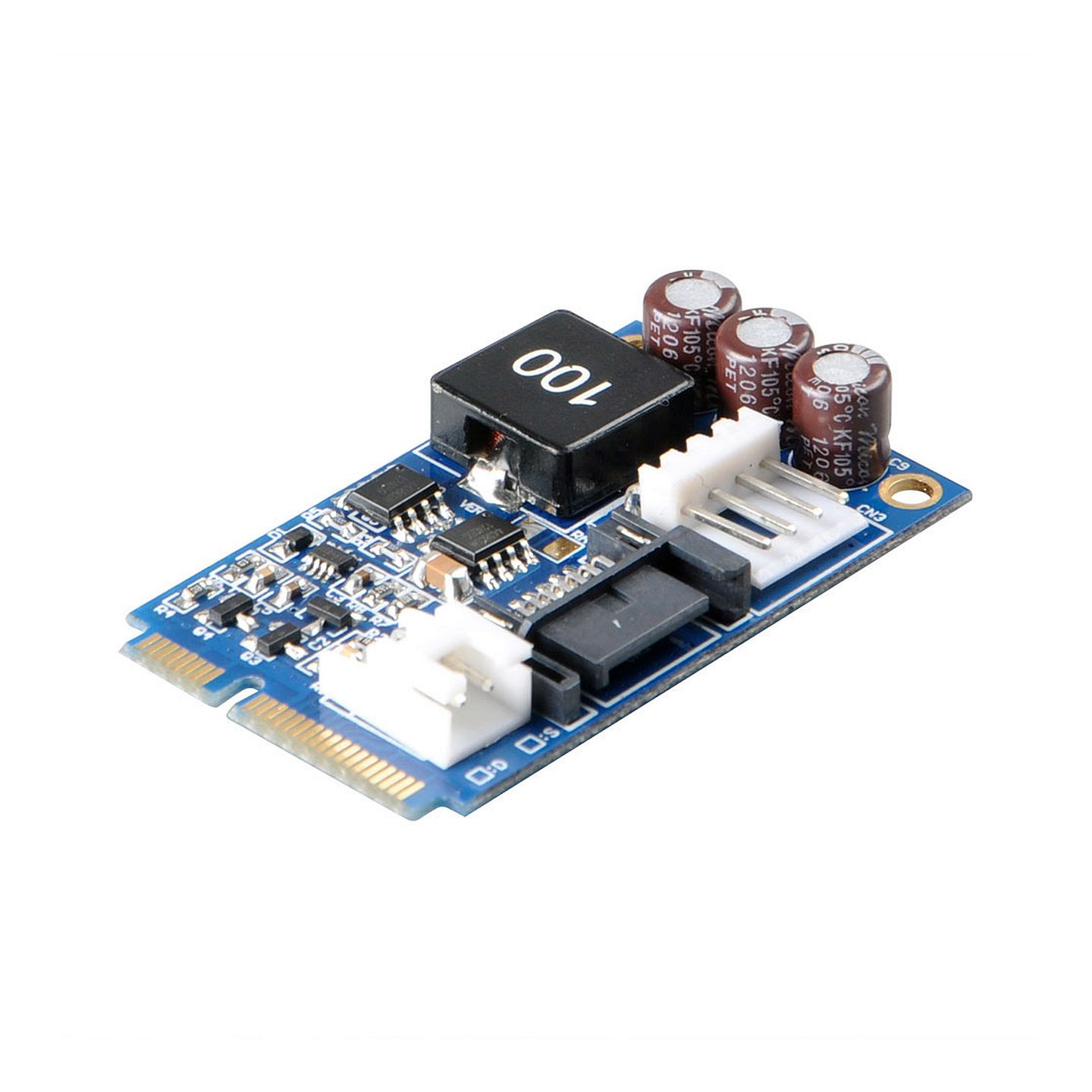
mSATA to SATA adapter
AKASA AK-PCCMSA-01V2 - Expansions & Connectivity Chassis mSATA to SATA adapter is used to connect 2.5" HDD / SSD to mini PCI Express slot with mSATA support.
.product-menu-page {
font-family: 'Ubuntu', sans-serif;
color: #3f4c58;
}
.text_bold {
font-weight: bolder;
}
.product-menu-page {
display: none;
}
.product-menu-page:target {
display: block;
}
.head_sec {
background-color: #e9e9f0;
}
.col_a {
background-color: #798490;
}
.head_subsec {color: CornflowerBlue;
padding-top: 10px;padding-left: 10px;
padding-right: 25px;
vertical-align: bottom;
}
.chead {
border: 1px solid Lavender;
font-size: 90%;
font-weight: bolder;}
.ckey {
width: 25%;white-space: nowrap;text-align: left;font-size: 90%;
font-weight: bolder;
border: 1px solid Lavender;word-break: break-word;
}
.copt {
width: 25%;text-align: left;font-size: 90%;
font-weight: bolder;
border: 1px solid Lavender;word-break: break-word;
}
.cval {
width: auto;text-align: left;
border: 1px solid Lavender;
word-break: break-word;
font-size: 90%;
padding-top: 10px;
padding-left: 25px;
padding-right: 25px;
vertical-align: top;}
.rowspecsim {
font-size: 110%;
white-space: nowrap;text-align: left;
}
.column_1 {
width: 250px;white-space: nowrap;text-align: left;
}
.column_2 {
width: 250px;white-space: nowrap;text-align: left;
}
ul.menu {
list-style-type: none;
margin: 0;
padding: 0;background-color: #798490;overflow: hidden;font-family: 'Ubuntu', sans-serif;
}
li.menu-item {float: left;padding: 0px 16px;
}
ul.menu li.selected a {
display: block;
color: #2b3136;
text-align: center;
text-decoration: none;
background-color: CornflowerBlue;}
li.menu-item a {display: block;
color: white;text-align: center;
text-decoration: none;
}
li.menu-item a:hover {
color: white;
background-color: #f7c13d;}
.li.menu-item a:active {color: #2b3136;
font-weight: bolder;
background-color: CornflowerBlue;}
table {
margin-top: 10px;
width: 100%;
border-collapse: collapse;
table-layout: fixed;
}
th, td {
border: 1px solid White;text-align: left;
word-break: break-word;
font-size: 100%;
line-height: 1.5;
padding-top: 5px;
padding-left: 10px;
padding-bottom: 5px;
}
th {
font-size: 90%;
padding-left: 25px;
}
td {
word-break: break-word;
font-size: 90%;
padding-top: 10px;
padding-left: 25px;
padding-right: 25px;
vertical-align: top;
}
#prod_kf {
font-size: 100%;width: 100%;}
#prod_spec {
font-size: 100%;word-break: break-word;
font-size: 90%;
padding-top: 10px;
padding-left: 25px;
padding-right: 25px;
vertical-align: top;
}
#prod_spec_embed {
word-break: break-word;
font-size: 90%;
padding-top: 10px;width: 100%;}
#prod_disc {
font-size: 90%;
width: 100%;}
#prod_cpo {font-size: 90%;
width: 100%;
word-break: break-word;
}
#prod_var {
word-break: break-word;
font-size: 90%;
padding-top: 10px;
padding-left: 25px;
padding-right: 25px;
vertical-align: top;
}
AKASA AK-PCCMSA-01V2 - Expansions & Connectivity ChassismSATA to SATA adapter is used to connect 2.5" HDD / SSD to mini PCI Express slot with mSATA support.SpecificationApplicationmSATA to SATA adapterDesigned for2.5" HDD / SSDInput Voltage19VOutput Voltage5VPower Consumption10WProduct codeAK-PCCMSA-01V2All data is for information purposes only. The specification is subject to change without notice in advance. Any configuration other than original product specification is not guaranteed. Although all the information contained within this website is carefully checked, no guarantee of correctness is implied or expressed.Please always double-check the latest version of the product specification of the product manufacturer. Manufacturer Product Website: AK-PCCMSA-01V2Product names, logos, brands, and other trademarks featured or referred are the property of their respective trademark holders. These trademark holders are not affiliated with MCTX Mobile & Embedded Computers GmbH.OEM System Integration Support
All documents found on this page are subject to change without notification. Always ensure that you work with the latest version.
Price on request